Exam prep from your own lectures.
Turn the PDFs, slides and notes from your course into practice questions, then follow a mastery score for each lesson so you know what to review before the exam.

How it works
Add your course material
Lecture PDFs, PowerPoint slides, Word documents, photos or typed notes.
Set your goal
Choose a study goal like preparing for an exam, then the formats and difficulty.
Practice and review
Answer, learn from mistakes, and let the mastery score show which lessons need review.
Why students use Quibly for this
Practice questions, not rereading
Answering questions about your material helps you find the gaps that rereading hides. Quibly writes those questions from your own lectures.
Mastery per lesson
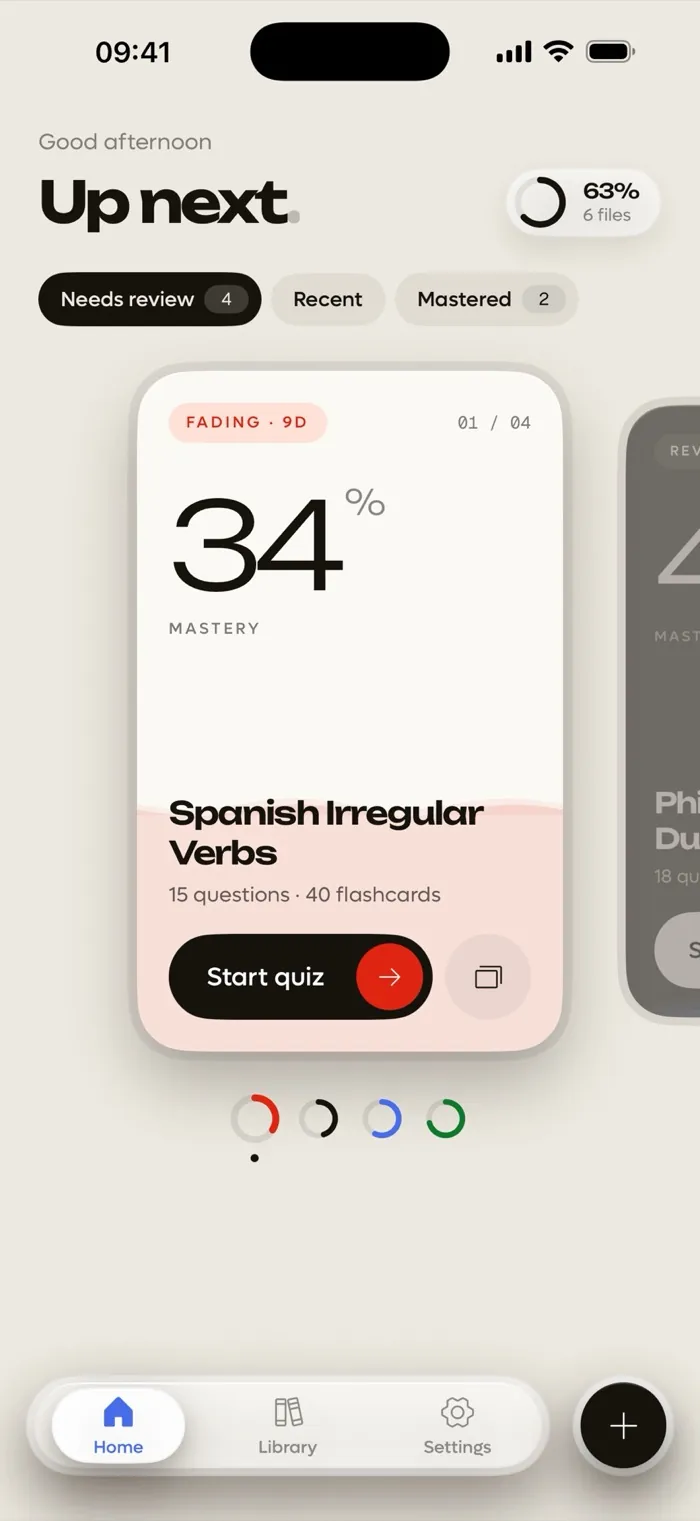
Every lesson gets a mastery score that rises as you study and fades when you leave it, so you know what to revisit before midterms or finals.
Learn from every miss
When you get a question wrong, Quibly shows the right answer and a short explanation, so the mistake turns into something you remember.
Questions
How does Quibly help me prepare for exams?
It turns your course material into multiple choice, flashcards and true/false questions, and tracks a mastery score for each lesson.
Can I set the difficulty?
Yes. Choose easy, medium or hard, plus a study goal and up to 50 questions per set.
What is the mastery score?
A percentage per lesson that rises as you study and fades over time, so lessons you have not opened in a while show up as needing review.
Is it free?
Quibly is free to start. A Quibly Premium subscription unlocks more study sets and features.
More ways to study with Quibly
Free to start on iPhone.
No account. Requires iOS 18 or later.